1
In Gmail. Always on.
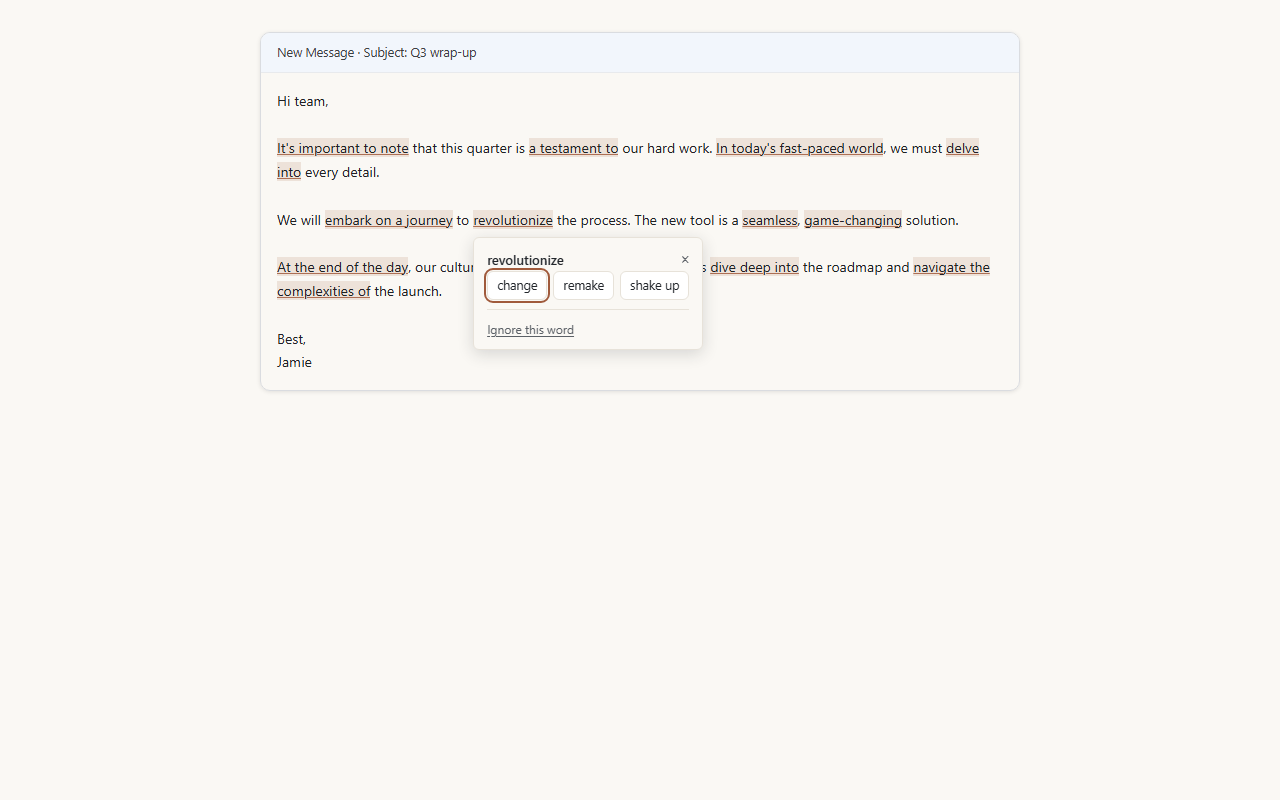
Open Gmail and write as you normally would. The extension underlines clichés the moment you type them, and flags weak structural patterns in the draft. No clicks. No setup. It just runs.
"Delve into." "It's worth noting." "A testament to." The phrases that quietly signal a draft came from an AI, even when it didn't. AI Cliché Detector catches them as you write, so you can fix them before you hit send.
Free to install. Detection is free forever. Works in Gmail and any other text box.
Hi Priya,
Thanks for sending the draft over. I wanted to delve into a few of the points before our Thursday sync.
It's worth noting that the customer-research section is the strongest part. The framing is a testament to how much time the team has spent on this, and I think we can build directly on it.
One small thing. The middle section reads as a treasure trove of detail, but the through-line gets lost. I'd cut the second paragraph and let the third one carry the argument—it's tighter on its own.
AI writing tools leave a fingerprint. Certain phrases show up again and again, and readers have learned to spot them. Once someone notices one, they start reading everything else you wrote with a little more doubt. The fix is not to write less. It is to catch the handful of phrases that give you away, and most of them are easy to replace once you can see them.
Open Gmail and write as you normally would. The extension underlines clichés the moment you type them, and flags weak structural patterns in the draft. No clicks. No setup. It just runs.
On any other site with a text box (a job-application form, a LinkedIn post, a Substack draft, a contact form), click the extension icon. The detector turns on for that tab. When you close the tab, it turns off.
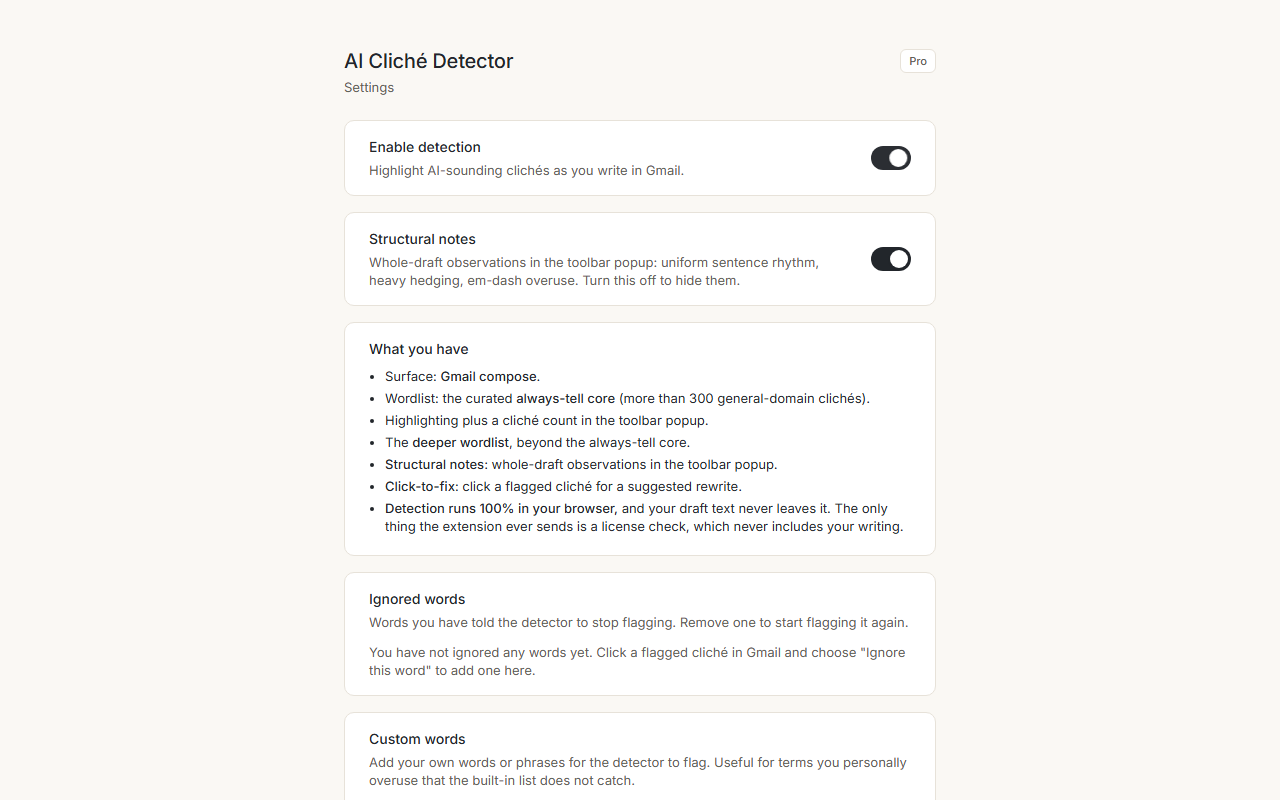
Read the underlines and rewrite, or click a flagged word for a one-click replacement. Either path, your draft text never leaves your browser.
Column 1
Everything the detector can see.
$0. No account. No trial that turns off.
Column 2
The same detection, plus a button.
One purchase. No subscription.
Privacy
Detection runs entirely inside your browser. Your draft text is never sent to a server, never stored, and never seen by us or anyone else. In Gmail, the extension reads only what you write in compose. On every other site, the extension reads nothing until you click the icon, and only the text on that one tab once you do. It cannot quietly read pages in the background. The only thing the extension ever sends out is a license check, and that check never includes your writing. No analytics, no tracking, no advertising. No remote code.
Install it, write your next email, and see what it flags. Detection is free, it takes about ten seconds to set up, and you only ever pay if you decide the one-click fix is worth $9.99 once.
Add to Chrome